Quantum Qguar DS
Digitally Transform and Optimize Your Dock Scheduling Operations
Discover Qguar DS—the next-generation dock scheduling solution designed for today's logistics demands. Streamline your operations, reduce costs, and gain complete control over every aspect of your logistics processes, all while seamlessly integrating with your ERP, WMS, and TMS platforms.
Technical Highlights: Integration, Scalability, Security
Qguar DS delivers effortless integration with ERP systems and other enterprise applications, thanks to standardized interfaces and flexible connectivity options tailored to both internal and external client environments.
The platform's scalability ensures seamless performance across organizations of any size, supporting multiple warehouses, docks, and user hierarchies, including centralized operations and distributed logistics networks.
Security and access control are managed through granular user role permissions (such as orderer, partner, carrier, or operator), along with comprehensive audit trails and automated activity logs, providing robust protection and full operational transparency.
Key Features of Qguar DS – Advanced Dock Scheduling for Logistics Operations
Digitally transform and optimize every aspect of scheduling, planning, and execution of loading and unloading operations – fully integrated with ERP, WMS, and TMS solutions, delivering real-time control over all logistics activities.
Lower your logistics costs, eliminate bottlenecks, and achieve maximum operational efficiency – Qguar DS empowers you with a transparent, scalable, and secure dock scheduling system across all your logistics locations.
Qguar DS – Advanced Scheduling, Seamless Integration, and Security for Modern Supply Chains
| Feature | Description |
|---|---|
| Integration with ERP, WMS, and TMS systems | Standardized APIs and flexible interfaces for seamless connectivity with internal and external business software, enabling end-to-end process automation and a unified information flow. (Web services, flat files, direct database integration) |
| Scalability | Supports multiple warehouses, sites, and user levels, including complex organizational structures and branch networks, with centralized or distributed architecture. |
| Security and Access Control | Granular user permissions by role (orderer, partner, carrier, operator), comprehensive audit trails, and automatic activity logging ensure full transparency and process protection. |
| Graphical Schedule Visualization (Gantt Chart) | Interactive real-time view of dock occupancy and time slots, with direct drag-and-drop schedule management and live status tracking for all operations. |
| Automated Notifications and Digital Document Exchange | Centralized notifications and document exchange for all stakeholders—eliminates external communication gaps and minimizes errors. |
| Advanced Analytics and KPI Reporting | Comprehensive statistics and dashboards: dock utilization, average handling times, arrival accuracy, resource efficiency, and total supply chain performance. |
| Flexible Scheduling Templates and Rules | Create and apply templates for recurring operations and workweeks to streamline planning and maximize time management, reducing the need for manual entry. |
Comparison Table: Targeted Benefits by User Group
The table below provides a clear overview of the key benefits Qguar DS delivers for four primary user groups. Quickly identify how each segment of your team can gain value through system implementation.
| User Group | Key Benefits of Qguar DS |
|---|---|
|
|
|
|
|
|
|
|
|
|
|
|

Qguar DS – SaaS and On-Premise Versions: Flexibility Tailored for Modern Logistics
Qguar Dock Scheduling is an advanced platform for digital dock management and time slot optimization in logistics and distribution centers. Available in both SaaS (Software as a Service) and traditional On-Premise versions, Qguar DS offers total adaptability to suit diverse organizational strategies and operational needs.
Qguar DS as a SaaS Solution
The SaaS version of Qguar DS provides full system functionality over the internet, eliminating the need for on-site installation or investment in dedicated server infrastructure. Hosted in a secure cloud environment, users can access the platform anytime, anywhere, through a standard web browser.
This model delivers several key advantages:
- Rapid deployment with minimal IT involvement: SaaS enables a fast go-live, without complex technical setup. Customers can start using the system immediately upon subscription.
- Automatic updates and technical support: All system upgrades, security patches, and technical assistance are managed directly by the provider, requiring no action from the user side.
- Scalability and cost optimization: The SaaS model makes it easy to scale up or down based on business needs, with no capital expenditure on hardware or maintenance.
- Enterprise-grade security and reliability: Data is safeguarded through advanced security protocols, regular backups, and redundant cloud infrastructure.
- Real-time collaboration for all stakeholders: Partners, suppliers, carriers, and forwarders can access and interact with the system in real time, regardless of their physical location.
Qguar DS as an On-Premise Solution
The On-Premise version of Qguar DS is deployed on the client's own servers and infrastructure. This model is particularly suited for organizations that require full control over their data and internal processes, or have unique security and integration requirements.
Key features of the On-Premise approach include:
- Complete control over data and IT environment: All data is stored and managed within the organization's own infrastructure, supporting compliance with internal policies and industry regulations.
- Integration flexibility: Direct integration with other business systems and the ability to develop customized integration modules tailored to specific needs.
- Advanced security and access management: Organizations can define their own security standards, access rules, and data protection protocols.
- Customization and bespoke development: The On-Premise model allows for deep personalization of features, add-ons, and integrations in line with company strategy and growth.
Whether deployed as a SaaS or On-Premise solution, Qguar DS empowers logistics and distribution companies to fully digitize scheduling processes, optimize resource utilization, and enhance collaboration with all supply chain partners. The choice between SaaS and On-Premise comes down to your company's priorities—agility and speed of deployment (SaaS), or full control, security, and advanced integration (On-Premise). Both options deliver high efficiency, reliability, and a competitive edge in today's logistics landscape.
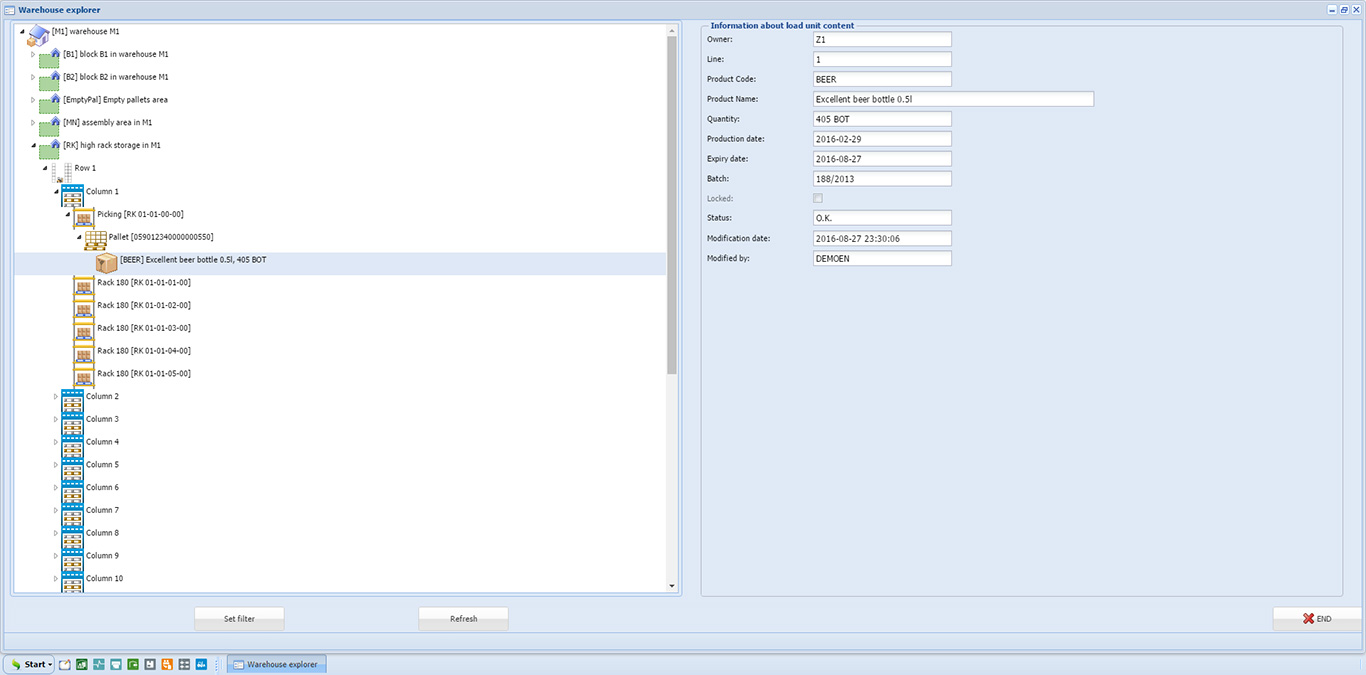
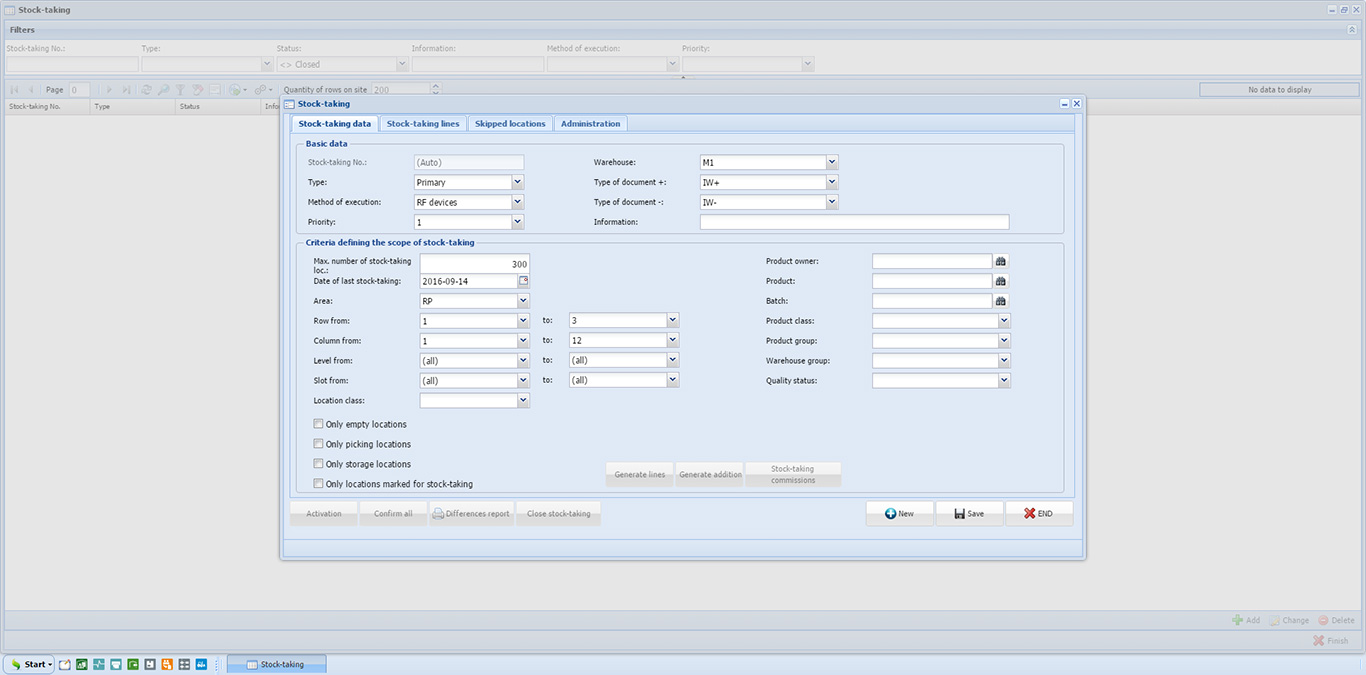
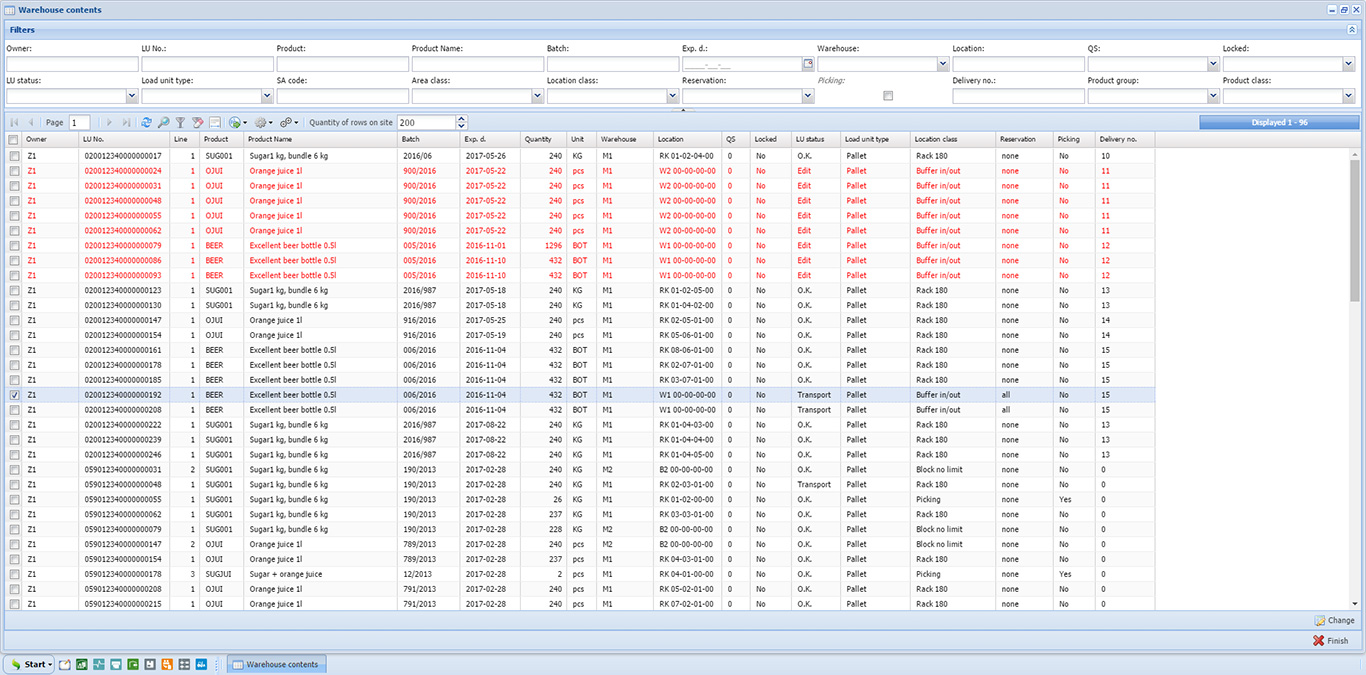
System Screenshots
Qguar DS Advanced Capabilities
Explore comprehensive dock scheduling features and logistics optimization tools
Multi-Level Location Structure Configuration:
Define hierarchical dock and bay structures with multiple organizational layers. Each level precisely identifies processing points for load/unload operations, enabling granular contractor assignments and resource allocation across complex facility layouts.
Dynamic Time Window Scheduling:
Establish and manage detailed time slots for loading and unloading activities, including configurable timeframes, operation duration parameters, and intelligent reservation of consecutive slots for extended processing requirements.
Template-Based Schedule Generation:
Leverage pre-configured schedule templates for rapid time window creation based on recurring operational patterns and standard work weeks, with comprehensive customization options tailored to site-specific operational requirements.
Self-Service Appointment Booking System:
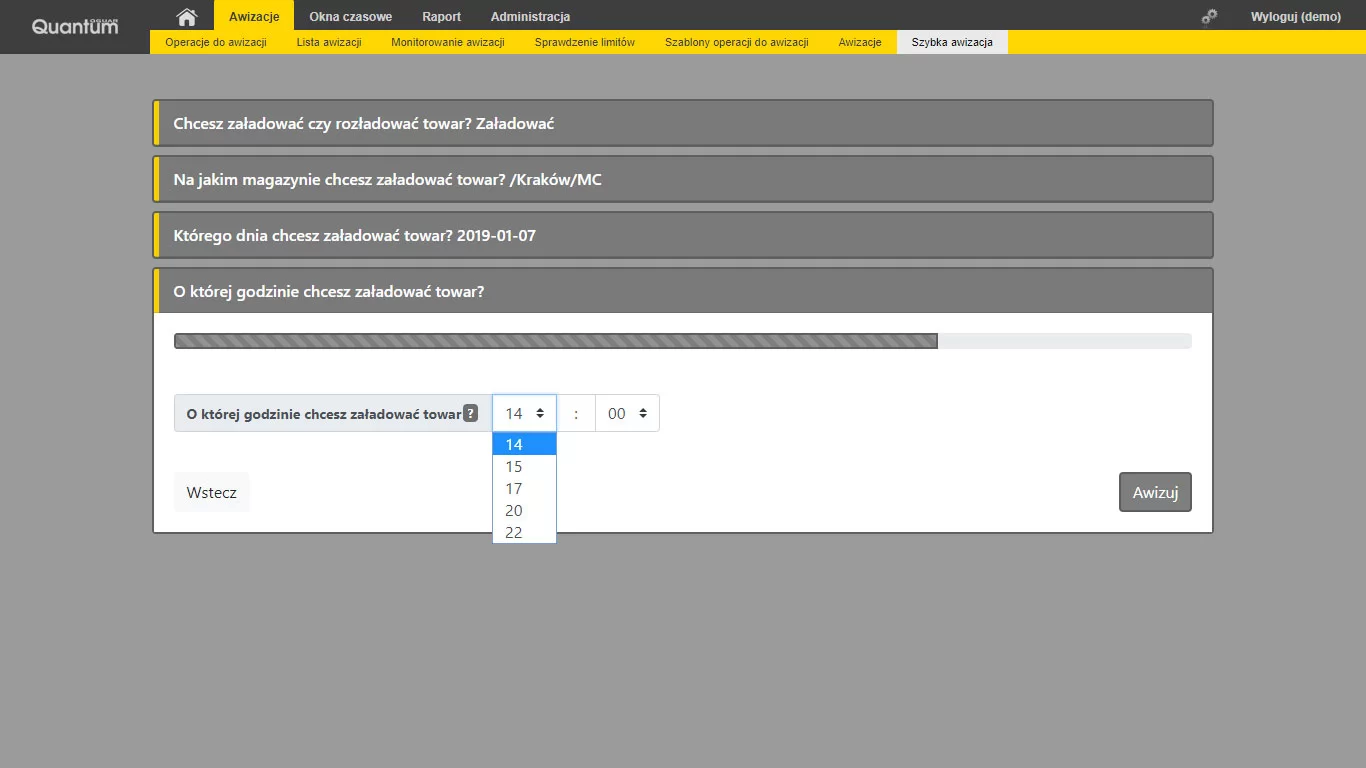
Enable external contractors to autonomously reserve dock appointments through digital notifications, specifying operation types (inbound/outbound), anticipated processing duration, vehicle specifications, and additional operational parameters.
Intelligent Restriction Group Management:
Configure constraint groups to control dock capacity limits, vehicle type requirements (temperature-controlled, hazmat, oversized), and specialized handling conditions. Apply restriction policies uniformly across multiple facility locations for consistent operational control.
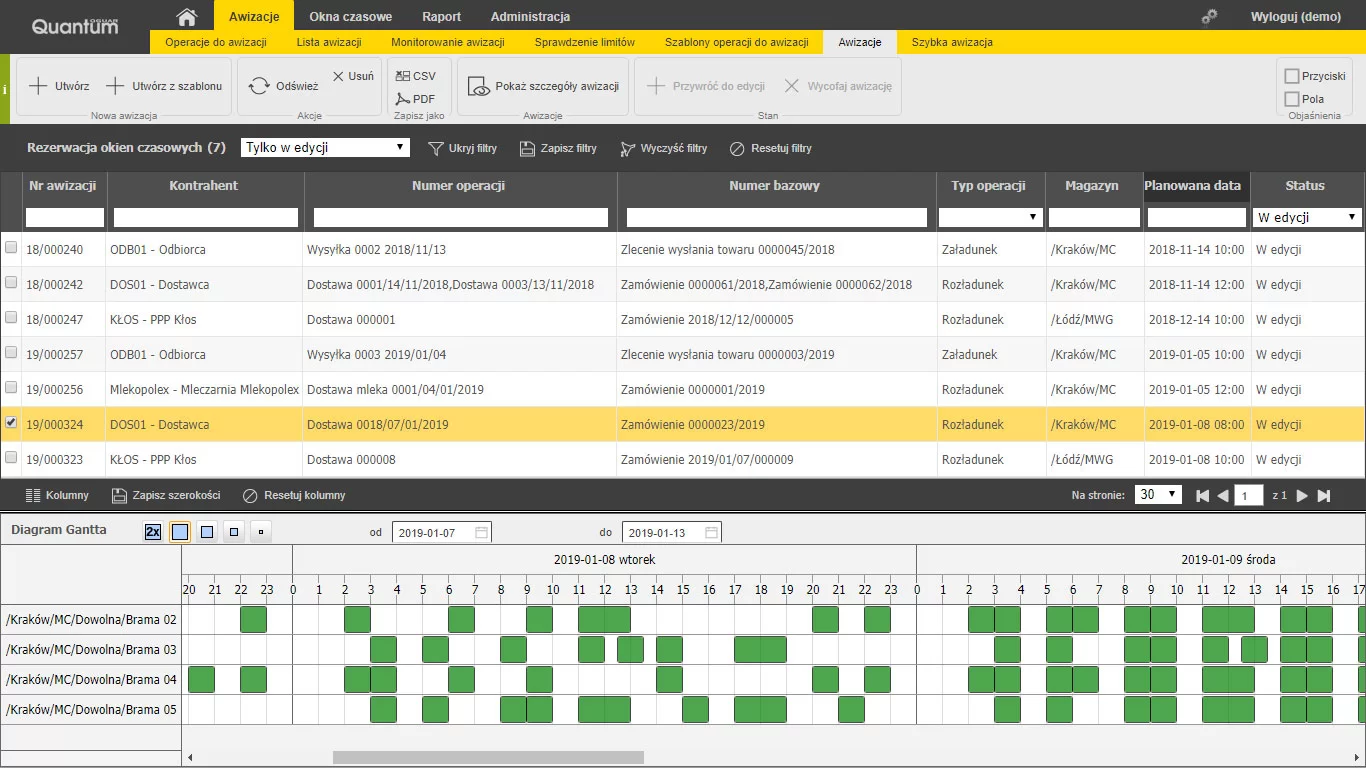
Interactive Gantt Chart Visualization:
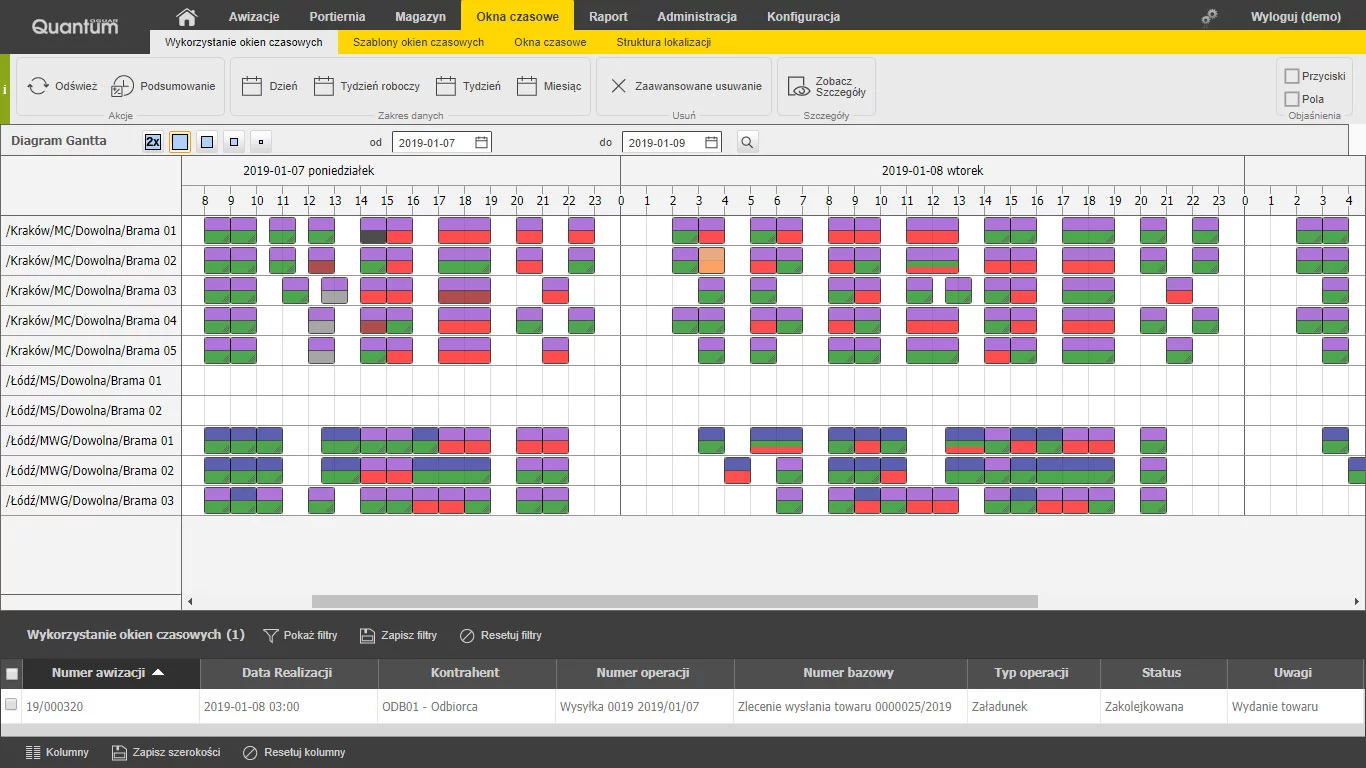
Access real-time graphical representations of dock occupancy with interactive drag-and-drop rescheduling capabilities, color-coded status indicators, and detailed operation insights for immediate visibility into facility utilization patterns.
Structured Appointment Workflow Process:
Follow systematic booking procedures: initial notification registration, delivery specification collection, availability analysis, slot selection and confirmation, followed by appointment activation. Each stage ensures data accuracy and operational readiness.
Multi-Stakeholder Collaboration Platform:
Implement role-specific access controls for diverse participants including shippers, carriers, freight forwarders, and warehouse operators. Each stakeholder receives customized permissions and operational visibility aligned with their responsibilities.
Enterprise System Integration Framework:
Establish bidirectional connectivity with ERP, WMS, and TMS platforms through web services APIs, structured file exchange protocols, or direct database integration—ensuring automated data synchronization and eliminating manual data entry across systems.
Performance Analytics and KPI Dashboards:
Track critical operational metrics including average vehicle processing duration, dock utilization rates, appointment punctuality percentages, and parking area wait times. Real-time dashboards provide actionable insights for continuous process improvement.
Traffic Control and Priority Rules Engine:
Establish regulations for simultaneous vehicle visit limitations, configure priority handling protocols for time-sensitive deliveries, and implement automated service sequencing based on predefined business rules and operational constraints.
Automated Communication and Alert System:
Deploy automated notification mechanisms for booking confirmations, schedule modifications, capacity alerts, and operational restrictions. Notifications are delivered via email, SMS, or integrated messaging platforms to ensure timely stakeholder awareness.
Real-Time Visual Status Dashboard:
Monitor operational status through color-coded visual indicators displaying visit progress, available time slots, occupied dock windows, delay notifications, and capacity alerts—providing at-a-glance facility status awareness for operational teams.
Granular Role-Based Access Control:
Configure multi-level authorization hierarchies with specific permissions assigned to user roles such as system administrator, dock supervisor, operations coordinator, and external logistics partners—ensuring appropriate data access and functional capabilities.
Advanced Reporting and Data Export:
Generate customized analytical reports with flexible parameters, schedule automated report distribution, and export data in multiple formats (Excel, CSV, PDF) for integration with external business intelligence tools and data warehouses.
Comprehensive Audit Trail System:
Maintain detailed historical records of all schedule modifications, user actions, system transactions, and data changes. Complete audit logging supports compliance requirements, incident investigation, and operational process analysis.
Mobile-Optimized Remote Access:
Access full scheduling functionality through responsive mobile interfaces optimized for smartphones and tablets. Remote capabilities enable dock monitoring, appointment management, and operational oversight from any location with internet connectivity.
Exception and Incident Response Management:
Identify and process operational disruptions including delays, cancellations, and urgent priority changes. Automated exception handling triggers schedule adjustments, stakeholder notifications, and resource reallocation to minimize operational impact.
Multi-Language and Multi-Currency Support:
Deploy the platform across international operations with native language interfaces and localized currency displays. Multi-language capabilities facilitate seamless collaboration among global logistics partners and international carrier networks.
Configurable User Interface Customization:
Adapt interface layouts, display preferences, and functional workflows to align with diverse user requirements and corporate branding standards. Personalization options enhance user adoption and operational efficiency across different stakeholder groups.
Concurrent Operations Coordination:
Plan and execute multiple simultaneous loading and unloading operations across different dock locations without scheduling conflicts. Advanced conflict detection algorithms prevent resource contention and optimize parallel process execution.
AI-Powered Slot Optimization:
Leverage intelligent recommendation algorithms that suggest optimal time slots based on availability patterns, priority classifications, historical operation data, and predictive analytics—maximizing facility throughput and minimizing wait times.
Parking Area Resource Management:
Monitor and control parking space allocation for inbound and outbound vehicles. Real-time occupancy tracking, reservation capabilities, and automated space assignment optimize yard utilization and reduce vehicle congestion.
Collaborative Partner Portal:
Facilitate direct information exchange, booking confirmations, document sharing, and operational notes among all supply chain participants. Centralized communication eliminates email chains and phone calls while maintaining complete interaction history.
Business Rules and Workflow Automation:
Configure automated workflows triggered by specific conditions: dock blocking during maintenance windows, expedited handling for high-priority goods, capacity alerts at threshold limits, and automatic escalation protocols for delayed operations.
Qguar DS – Comparative Analysis: SaaS vs. On-Premise
Choosing between the SaaS (Software as a Service) and On-Premise versions of the Qguar Dock Scheduling system depends on your business priorities, IT strategy, and requirements for security, flexibility, and speed of deployment. The table below clearly highlights the key differences, advantages, and limitations of each option, making it easy to identify the model that best aligns with your company's needs.
SaaS Version
Cloud-Based Solution
Fast deployment, no infrastructure investment, automatic updates, and instant scalability—ideal for companies seeking agility and minimal IT overhead.
On-Premise Version
Self-Hosted Solution
Complete data control, custom integrations, tailored security policies, and full system customization—perfect for organizations with specific compliance requirements.
| Feature |
|
|
|---|---|---|
| Implementation | Fast, no local installation required; available immediately after subscription. | Installed on the client's infrastructure; requires additional IT preparation. |
| Infrastructure | Hosted in a cloud environment—no need for in-house servers. | All infrastructure is owned and managed by the client. |
| Updates & Support | Automatic updates, security patches, and technical support included in the service fee. | User is responsible for managing system updates and maintenance. |
| Data Security | Data is stored in secure, professionally managed cloud data centers with advanced protection measures. | All data remains within the company—the client has full control over security policies. |
| Scalability | Easily scale capacity and number of users as needed. | Scalability depends on internal infrastructure capacity and investment. |
| Costs | Fixed monthly or annual subscription; no upfront hardware investment. | Higher initial investment in hardware and licenses; lower operating costs over time. |
| System Access | Accessible from any device and location via web browser. | Access limited to the internal network, unless external connectivity is configured. |
| Integrations | Simple integration with other cloud applications and external partners. | Full flexibility and deep integration options with internal systems. |
| Customization & Control | Standardized features and settings; limited deep customization options. | Full customization and system tailoring to match specific business needs. |
| Regulatory Compliance | Cloud providers ensure compliance with standards (GDPR, ISO, etc.). | Client has full responsibility and control over regulatory compliance. |
Ready to take your business to the next level?
Get in touch today and receive a complimentary consultation.
Frequently Asked Questions about Qguar DS
Find answers to the most common questions about planning, managing, and optimizing time windows and dock scheduling with Qguar DS.
Qguar DS (Dock Scheduling) is a specialized IT system for advanced management of time windows at logistics facilities. It addresses the critical challenge of competing interests at loading and unloading points, gates, ramps, and docks, where delays and disorganization directly increase logistics costs. The system enables precise scheduling, remote delivery advising, and detailed tracking of every visit.
Qguar DS is ideal for any logistics facility where deliveries and shipments are realized, including warehouses, distribution centers, manufacturing plants, cross-docking terminals, and logistics hubs. It is especially valuable for operations with high vehicle turnover, multiple docks or ramps, and complex multi-party delivery networks involving ordering parties, forwarders, and freight carriers.
Time windows are defined for each dock using pre-configured templates that cover a model work week. Each window represents a period allocated to a specific operation. Windows can be shifted, copied, or deleted directly on an interactive graphical diagram. The system also displays window occupancy and the status of advice notes assigned to each window in real time, giving operators complete scheduling visibility.
The duration of each operation can be set as a fixed value, or it can be dynamically calculated based on the volume of goods to be handled or the type of transport vehicle involved. If an operation exceeds a single time window, adjacent windows are automatically reserved to ensure the total allocated time covers the full duration of the operation.
Yes. Qguar DS supports complex multi-party collaboration. In the most extended scenario, the ordering party introduces an operation, the contractor selects the forwarding agent, the forwarder chooses a convenient time slot from available windows, and the freight carrier provides driver and vehicle details. Each participant accesses only their assigned operations, while supervisors maintain a full overview of all activity.
Qguar DS enables contractors and carriers to submit delivery advice notes remotely, based on assigned access privileges and standardized operations. Templates can accelerate the advising process, in the simplest case, providing just the date and time of a planned visit is enough. All advice note details, attachments, and comments are stored centrally and accessible to all authorized participants.
Yes. By defining precise time windows and allocating specific time periods for each operation, Qguar DS eliminates unplanned vehicle queues at the warehouse. Proper scheduling rationalizes and organizes warehouse functioning, prevents bottlenecks, and enables quick response to unexpected accumulations of visits.
Yes. Each dock can be configured to accept only selected types of transport vehicles, for example, refrigerated trucks, standard trailers, or specific vehicle sizes. This ensures that vehicles are always directed to compatible docks, optimizing operational efficiency and preventing scheduling conflicts.
Available and occupied docks are displayed in a clear graphical interface, allowing operators to quickly monitor current and scheduled utilization at a glance. This visualization enables warehouse managers to verify planned operations, identify capacity gaps, and adjust staffing levels for specific time periods and warehouses in real time.
Qguar DS supports tracking of key performance indicators including average vehicle handling time, average loading/unloading duration, average waiting time on parking or in the yard, dock and location utilization levels, and driver punctuality relative to scheduled advice notes. These metrics enable data-driven optimization of logistics processes.
Yes. Qguar DS is designed for seamless integration with other Qguar systems (WMS, TMS, YMS) as standard. It can also be connected to any ERP-class system or other third-party solutions. Integration methods include web services, flat file exchange, and direct database connections—ensuring unified data flow across the entire logistics ecosystem.
Yes. Qguar DS is available in a SaaS (Software as a Service) version, accessible via a web browser without the need for local installation. SaaS packages are offered based on daily advice note volumes (25, 50, or 100 per day), with all plans including unlimited users, locations, and docks. A free demo version is also available for evaluation.
Yes. The system supports multiple locations, each with multiple warehouses and docks. This enables centralized management of even highly extensive enterprise structures within a single unified system, making it suitable for large logistics networks and multi-site operations.
All information related to advice notes, schedules, attachments, comments, and status updates is stored centrally and accessible to all authorized participants. This eliminates the need to contact contractors outside the system, reduces miscommunication, and ensures that every party in the delivery network has access to the same up-to-date information.
Yes. By engaging all participants in the scheduling process and allowing contractors to choose convenient time slots, the system increases the probability that vehicles arrive on time at the required location. Timely realization of operations improves quality and discipline across the entire delivery network.
- Significant reduction in time and resources spent on scheduling loading and unloading
- Elimination of vehicle queues and unnecessary waiting times
- Improved service fluency and warehouse efficiency
- Better utilization of resources such as gates, docks, and parking spaces
- Reduced errors in truck allocation and dock assignment
- Stronger relationships with contractors through transparent, collaborative scheduling
- Lower material and operational costs through automation
- Real-time analytics and KPIs for continuous process improvement
Transform Your Logistics Operations with Qguar DS
Measurable Efficiency Gains, Cost Reduction, and Competitive Advantage Through Smart Dock Scheduling
Qguar Dock Scheduling delivers measurable operational and strategic benefits by automating the entire dock management workflow. Companies gain complete transparency, eliminate delays, and optimize resource utilization across docks and personnel.
The system automatically manages priorities and capacity, preventing congestion even during peak periods while accelerating goods flow and reducing logistics costs. Precise scheduling and proactive change management strengthen your reputation with partners and carriers, positioning your organization as a reliable logistics provider.
Qguar DS empowers you to respond to modern logistics challenges with speed, precision, and confidence, building a sustainable competitive edge in the marketplace.
Overview of Core System Features:
Location Structure
Time Window Management
Time Window Templates
Notification Management
Operations in Notifications
Visit Restrictions
Restriction Group
Gantt Charts
Qguar DS Users Worldwide