

Warehouse Management System
Complete Warehouse Control,
From Receiving to Dispatch
InfoBiro WMS automates every movement in your warehouse, with full lot and SSCC pallet traceability, FEFO expiry control, and location-directed operations that eliminate empty travel and manual errors.
More Than Stock Records:
A Fully Directed Warehouse
A warehouse management system that replaces operator memory and paper lists with locations, rules, and confirmations at every step.
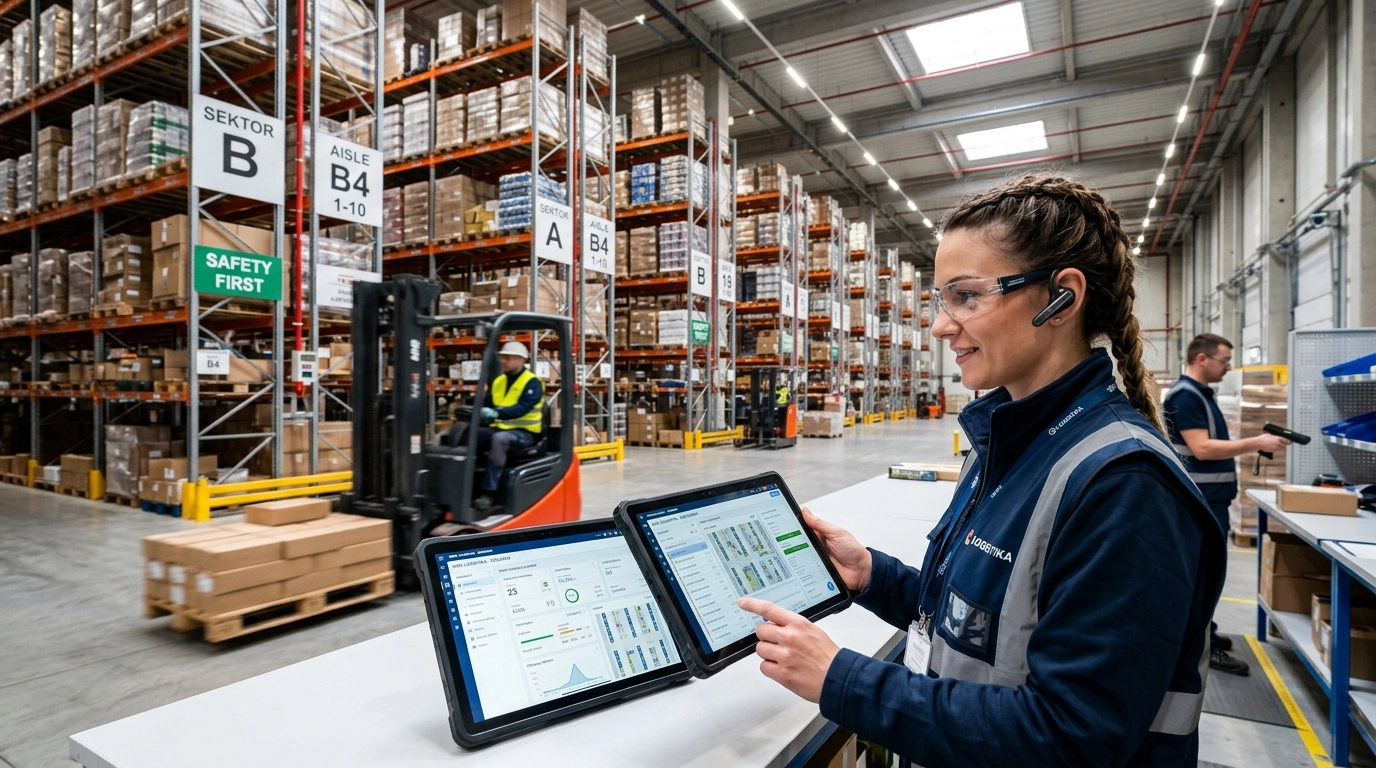
InfoBiro WMS brings every inbound, outbound, and internal movement under system control. Goods are received, stored, picked, and dispatched against defined locations, and each step is confirmed in the system rather than assumed.
Every item is traceable by lot number, and every pallet by its SSCC code. Expiry dates are recorded on intake, so at any moment you can see exactly which stock is approaching a critical deadline. Because the system issues by FEFO, goods leave in the right order and expired stock stops being a recurring write-off.
The warehouse is configured location by location, and the system routes operator movement to cut empty travel. Receiving, internal transport, forklift work, picking, control, and dispatch are separated into distinct processes, which lets each role specialize and delivers an optimal ratio of time to cost per operation.
Distribution, food and beverage, pharmaceuticals, and any operation where expiry dates, lot recalls, or pallet level traceability are a regulatory requirement rather than a preference.
Every Warehouse Process,
Under System Control
InfoBiro WMS covers the full cycle from receiving to dispatch, with traceability and expiry logic built into the process rather than added on top of it.
Inbound and Receiving Control
- Quantity and quality control on every receipt
- Expiry dates captured at the moment of intake
- Lot number and SSCC assigned from the first movement
Location Management and Directed Put-Away
- Warehouse mapped zone by zone and position by position
- System assigns the storage location, not the operator
- Movement routed to minimize empty travel
Order Picking and Dispatch
- Picking sequenced by location and expiry priority
- Packing, control, and expedition as separate confirmed steps
- Shorter preparation time for every outbound order
Lot and SSCC Traceability
- Item level history tracked by lot number
- Pallet level identity carried by SSCC code
- Complete movement history for recalls and audits
FEFO and Expiry Control
- Expiry register maintained across the entire stock
- Critical deadlines visible at any moment
- Write-offs from expired goods reduced by design
Inventory Counting
- Full or partial counts initiated at any time
- Only the counted zone is affected, the rest keeps working
- Accurate results with minimal time spent
Not sure which processes to digitalize first?
SynapTech maps your current warehouse flows and defines an implementation scope that delivers value in the shortest time.
Six Specialized Roles,
One Continuous Flow
InfoBiro WMS breaks the warehouse into distinct, confirmed processes. Each role does one thing well, and the system carries the handover between them.
Optimal Time to Cost Ratio
When every process is separated and confirmed, each role can be staffed, measured, and improved on its own terms instead of being hidden inside a single undefined job.
Productivity Measured per Operator
Because every step is confirmed by the person who performed it, you can see at any moment who prepared how many orders, how many items, and what total weight.
Routed Movement, No Empty Travel
The warehouse is configured with defined locations, so the system decides the route. Operators stop walking the same aisle twice and stop returning empty handed.
Know Which Pallet Went Where,
and Which Batch It Came From
In regulated and perishable goods, traceability is not reporting. It is the ability to answer a specific question about a specific batch on the day someone asks it.
Two levels of identity, carried through every movement
InfoBiro WMS tracks goods on two independent levels at once. The lot number follows the item from receipt to issue, and the SSCC code identifies the physical pallet as a handling unit. Together they let you move in both directions: from a batch to the shipments that carried it, and from a shipment back to the batch it contained.
Expiry dates are captured on intake and maintained as a live register. At any moment you can see which stock is approaching a critical deadline, while there is still time to act on it rather than discover it during a count.
Because issuing runs on FEFO, the sequence is decided by the system and not by whichever pallet happens to be closest. Older stock leaves first, consistently, across every shift and every operator.
Every receipt, internal movement, and issue is recorded against the lot. A single query returns the full history of any batch in stock or already shipped.
Each pallet carries a Serial Shipping Container Code that identifies it as a unique handling unit through storage, loading, and delivery.
Deadlines recorded at intake and monitored continuously. Critical dates surface early, while the stock can still be moved, promoted, or reallocated.
First expired, first out is enforced by the system rather than left to operator judgement, which removes the write-offs that build up from stock sitting past its date.
Without lot and expiry control
With InfoBiro WMS
Manage People and Stock
on Facts, Not Estimates
Every confirmed step produces a record. That record turns two of the hardest warehouse questions, who is actually producing and what is actually on the shelf, into a report.
Workforce Productivity
See exactly who did how much, at any moment
Because every pick, move, and confirmation is tied to the person who performed it, InfoBiro WMS can show the output of each employee in the warehouse without anyone filling in a form. Orders prepared, items handled, and total weight moved are all available on demand.
That changes the conversation from impressions to numbers. Shift planning, workload balancing, and performance discussions stop depending on who was most visible on the floor and start resting on what the system recorded.
Inventory Counting
Full or partial, whenever you need it
Counting stops being an annual event that shuts the building down. InfoBiro WMS supports full and partial inventory at any time, with minimal time spent and without trading speed for accuracy.
A partial count covers a defined part of the warehouse, so the zones outside it keep receiving, picking, and dispatching as normal. Discrepancies surface where they happen, in the zone and against the location, instead of appearing as one unexplained difference at the end of the year.
Built for Warehouses Where
Accuracy Is Not Optional
The same core capabilities matter differently depending on what you store. Here is what tends to carry the most weight in each sector.
Food and Beverage
Short shelf life turns every day of standing stock into a cost. FEFO issuing and a live expiry register keep goods moving in the right order, and lot traceability makes a supplier recall a query rather than a search through delivery notes.
Pharmaceuticals and Healthcare
Batch level accountability is a regulatory obligation, not a preference. Every receipt, movement, and issue is recorded against the lot, and each pallet carries its own SSCC identity through storage and shipment.
Distribution and Wholesale
High order volume rewards every second saved per line. Location-directed picking cuts empty travel, the process split gives each role a defined task, and operator output is measurable by order, item, and weight.
Retail and eCommerce
Many items, small orders, constant movement. Zone based slotting by rotation frequency keeps fast movers close to the picking front, and partial counts let you verify stock without stopping fulfilment.
Manufacturing
Raw material and finished goods warehouses run on the same rules. Lot identity survives from intake to issue, so material consumed in production and product shipped to a customer stay connected in the record.
Logistics and Contract Warehousing
When the goods belong to someone else, the record is the service. Defined zones, confirmed handovers, and complete movement history make it possible to show exactly what happened to a shipment and when.
SynapTech implements InfoBiro WMS across all of these sectors, adapting locations, process rules, and integration points to how your warehouse actually operates.
Discuss Your Warehouse Requirements
Thirty Years of Software,
Built and Supported in the Region
InfoBiro is not a distant vendor. It is a regional software house with three decades of continuous development and a support team in the same time zone as your warehouse.
INFO Biro is an independent software company based in Ohrid, North Macedonia, developing business application software and supplying the computer equipment that runs alongside it.
Over three decades the company has built a portfolio that covers finance, commerce, field sales, and warehousing, and its solutions are in daily use by more than a thousand companies across the Balkans.
Alongside software, InfoBiro provides hardware, technical support, ongoing development, and maintenance, which means the WMS is backed by a team that also understands the equipment it runs on.
Development
Using Their Software
Across the Balkans
Warehouse and Business Core
Sales, Field and Commerce
You do not have to replace your ERP
This is usually the first question, and the answer is simple. InfoBiro WMS integrates with your existing ERP, whichever one you run. The warehouse gets a dedicated system for locations, traceability, and expiry logic, while orders, invoicing, and finance stay where they already are.
SynapTech handles that connection as part of the implementation. We define which data flows in each direction, at what point in the process, and how the two systems stay in agreement once the warehouse starts running live.
Software Is the Easy Part.
Making It Fit Your Warehouse Is Not.
SynapTech is the authorized partner, official distributor, and implementation partner for InfoBiro WMS. That means one contract, one project team, and one point of accountability from the first process workshop to long term support.
A WMS only works when the location structure, picking rules, and expiry logic match how your warehouse actually runs. We spend the time to get that right before anything is configured, then connect the system to the ERP you already use.
Consulting and Strategy
Warehouse process assessment, scoping, and a roadmap before a single setting is changed.
Learn MoreImplementation and Integration
Deployment, location setup, ERP connection, data migration, and controlled go-live.
Learn MoreManaged Services and Support
Ongoing administration, monitoring, upgrades, and a support line that knows your setup.
Learn MoreStart With a Warehouse Review
Tell us how your warehouse runs today and we will map what a WMS would change first.
Request a Consultation
Warehouse Management,
Answered Plainly
The questions IT directors and operations managers ask us most often before a WMS project starts.
A Warehouse Management System puts every inbound, outbound, and internal movement under system control. Instead of relying on operator memory and paper lists, the warehouse runs on defined locations, rules, and confirmations at each step.
The usual trigger is not size but complexity. Companies typically reach for a WMS when stock exists in more than one place at a time, when expiry dates or batch numbers start to matter, when order volume outgrows what one person can hold in their head, or when nobody can answer where a specific pallet went without walking the aisles.
An ERP warehouse module records what you have. A WMS manages where it is and how it moves. That distinction is the whole difference.
Your ERP knows the quantity on hand and the value of the stock. It generally does not direct an operator to a specific rack position, sequence a picking route to cut walking distance, enforce which batch leaves first, or record who physically performed each movement and when. Those are warehouse execution problems, and they are what a WMS is built to solve.
In practice the two work together. The ERP stays the system of record for orders, invoicing, and finance, while the WMS runs the floor.
Yes. You do not have to replace your ERP to implement InfoBiro WMS. The warehouse gets a dedicated system for locations, traceability, and expiry logic, while orders, invoicing, and finance stay where they already are.
SynapTech handles the connection as part of the implementation. During solution design we define which data flows in each direction, at what point in the process it moves, and how the two systems stay in agreement once the warehouse goes live. That integration scope is agreed before configuration starts, not discovered during go-live.
FEFO stands for First Expired, First Out. Goods are issued according to which batch expires soonest, not according to which one arrived first.
The distinction matters because arrival order and expiry order are frequently not the same. A delivery received today can easily carry a shorter remaining shelf life than one received last month, depending on how long it sat with the supplier. FIFO would send the older delivery out first and quietly leave the shorter dated stock behind.
InfoBiro WMS operates on FEFO, so the sequence is decided by the system rather than by operator judgement or by whichever pallet happens to be reachable. That consistency is what reduces the write-offs that build up from goods sitting past their date.
They answer two different questions, which is exactly why the system tracks both at once.
- Lot number identifies the batch the goods came from, at item level. It is what lets you answer: where did everything from this production batch end up?
- SSCC code identifies the physical pallet as a unique handling unit. It is what lets you answer: what was actually on the pallet that went out on this shipment?
Together they let you move in both directions. From a batch to every shipment that carried it, and from a delivered shipment back to the batch it contained. In a recall or a customer complaint, that is the difference between a query and a search through delivery notes.
No. The location structure is mapped onto the warehouse as it exists today, not the other way around. Zones, aisles, and positions are defined during solution design to match your actual layout and equipment.
What tends to change is not the racking but the discipline. Every position gets an identity, and every movement into or out of it gets confirmed. Where our process analysis does identify a layout change worth making, we say so and quantify what it would improve, but it is presented as an option rather than a precondition.
It falls out of the process rather than being collected separately. Because every pick, move, and handover is confirmed by the person who performed it, the system already holds the record. Nobody fills in a form.
At any moment you can see which employee prepared how many orders, how many items, and what total weight. The measurement is identical across every shift, which is what makes the numbers comparable and useful for workload balancing and staffing decisions rather than just interesting to look at.
Yes. InfoBiro WMS supports full and partial inventory at any time, with minimal time spent and without trading speed for accuracy.
A partial count covers a defined part of the warehouse, so only that section is locked. The remaining zones keep receiving, picking, and dispatching as normal. Because counts run against locations, any discrepancy surfaces at the position where it occurred, which makes the cause findable instead of appearing as a single unexplained difference at year end.
At minimum, the warehouse needs a way to scan and confirm at the point of work. Lot numbers, SSCC pallet codes, and location identities only stay accurate if they are read by a device rather than typed from memory, so scanning capability on the floor is the real requirement.
Beyond that, the specification depends on your environment: the size of the warehouse, network coverage across the aisles, whether operators work from vehicles or on foot, and what you already own. InfoBiro supplies computer equipment alongside its software, and SynapTech defines the exact equipment list during solution design so you are not buying hardware before the process is settled.
The timeline is driven by a small number of factors rather than by warehouse size alone:
- How many locations and zones need to be defined
- How much data has to be migrated and cleaned before cut-over
- The depth of the ERP integration and how many processes it touches
- Whether the warehouse can go live in phases or has to switch in one step
We give a committed schedule after process analysis, because a date quoted before that is a guess. After go-live, SynapTech provides managed services and support, covering ongoing administration, monitoring, upgrades, and adjustments as your operation changes.
Still have a question about your warehouse?
Send us the specifics and we will answer against your actual setup, not a generic one.
Ready to Put Your Warehouse
Under Full Control?
Start with a review of how your warehouse runs today. We map the current flows, identify where accuracy and time are being lost, and show what InfoBiro WMS would change first.